ARTH TASK 7.1
STEP1:
>>CREATE A SCRIPT IN PYTHON TO AUTOMATE THE LVM PROCESS
HERE’S HOW TO WRITE THE CODE:-

STEP2:
RUNNING THE PYTHON SCRIPT AND FILLING THE REQUIRED DETAILS AS A USER.

STEP3:
CHECKING THE FULL STORAGE USING “df -h” COMMAND TO CONFIRM THR CREATED LVM
HERE’S I HAVE CREATED A LVM OF 4GB STORAGE.

Increase or Decrease the Size of Static Partition in Linux.
There are two Memory Management Techniques: Contiguous, and Non-Contiguous. In Contiguous Technique, the executing process must be loaded entirely in the main memory. Contiguous Technique can be divided into:
- Fixed (or static) partitioning
- Variable (or dynamic) partitioning
We are here going to look upon how we going to make static partition a dynamic one:
STEP1:
Add a physical storage to achieve the partition
We have created a 8gb sdb .

STEP2:
>>Creating a partition on sdb disk to use the storage.


>>Checking the New Partition and storage.

>>Formatting the Partition to Use the sdb storage.


STEP3:
>>Unmounting the sdb1 to resize the storage and without loosing the Data

STEP4:
>>Deleting the old partition and will be creating new partition of +7GB

>>Using e2fsck : The e2fsck command is used to check the ext2/ext3/ext4 family of file systems. For ext3 and ext4 filesystems that use a journal, if the system has been shut down uncleanly without any errors, normally, after replaying the committed transactions in the journal, the file system should be marked as clean.


STEP5:
>>Mounting again to se the storage:
>>As we can see here Size is increased but alos “t.txt” file is not formatted i.e. We have increased the storage without Formatting the Whole Static Storage.

Integrating LVM with Hadoop and providing Elasticity to Data-Node Storage
Step1:
we have attached an external hard disk sdb of 8GB.
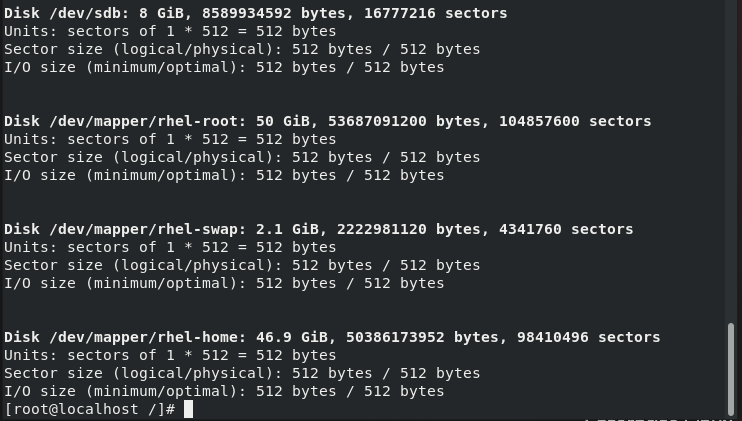
>>Let me show you guys my initial space provided by Data Node.
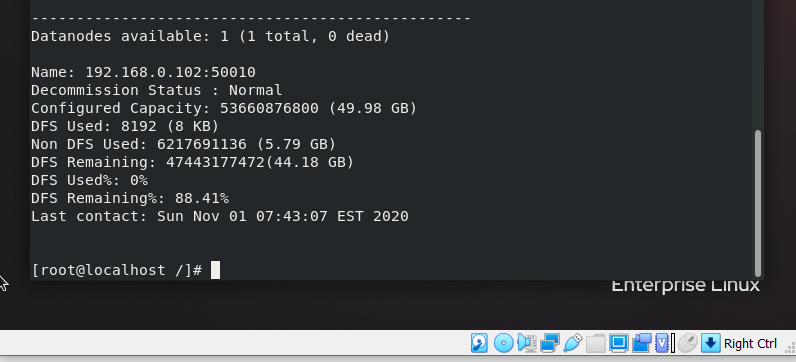
STEP2:
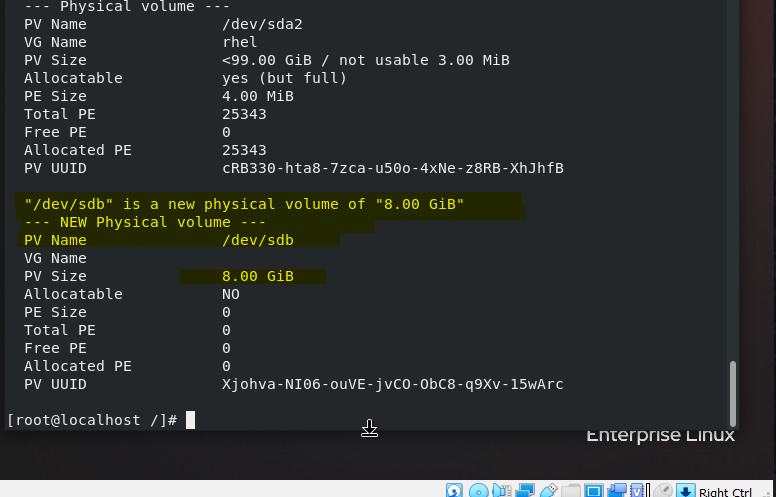
Creating a physical volume from the sdb hard disk.
>> pvcreate /dev/sdb

STEP3:
We are adding this physical volume to the pre-existing RHEL volume group as we want to make an elastic storage in Root directory.
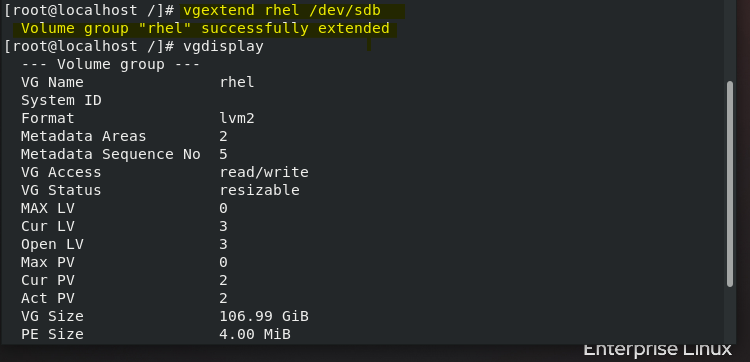
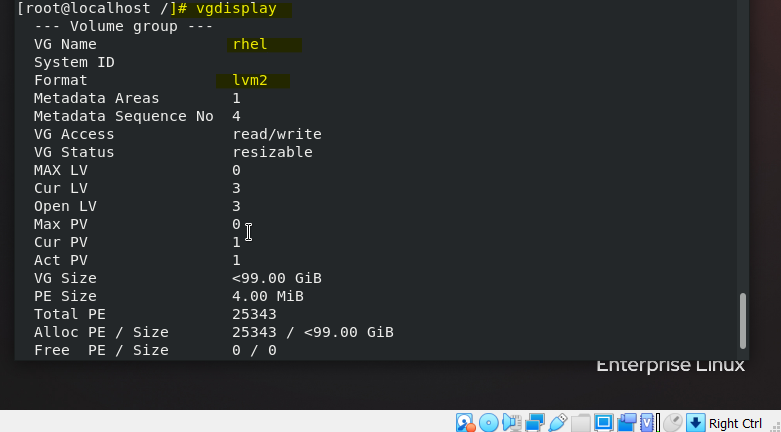
Now we have sdb attached to our sda which can be used to increase the size of the datanode as per the requirement.
STEP4:
Now we adding Volume group to the Root-LVM storage.


STEP5:
As we can see above #df -h command does not show the storage increased above as we need to format it but here the important thing is we are going to use the resize command which will only format the later extended part of storage (5G) rest data won’t be affected.
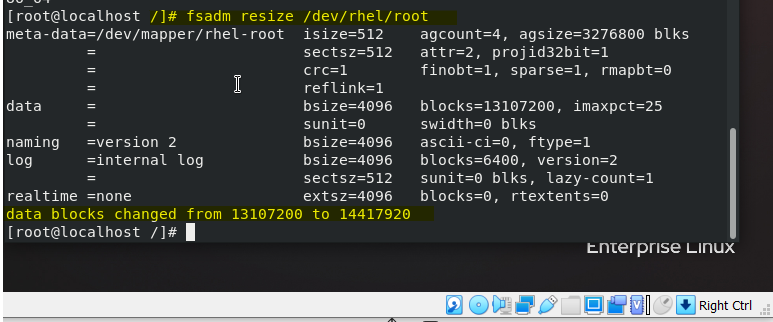
STEP6:
Checking the storage provided by Data Node.
As we can see 5GB is Dynamically Increased


Comments
Post a Comment